Record business activity · 7 min
Record cash receipts and disbursements
Use the cash books for collections and payments, including allocations and withholding.
Before you start
Have the receipt, payment voucher, bank record, party, reference, allocations, and any supported withholding certificate ready. Confirm the correct cash or bank account is connected in Libro.
Record cash in or cash out
- Open Cash Receipts for money received or Cash Disbursements for money paid.
- Choose New, enter the accounting date and reference, then select the receiving or paying cash account.
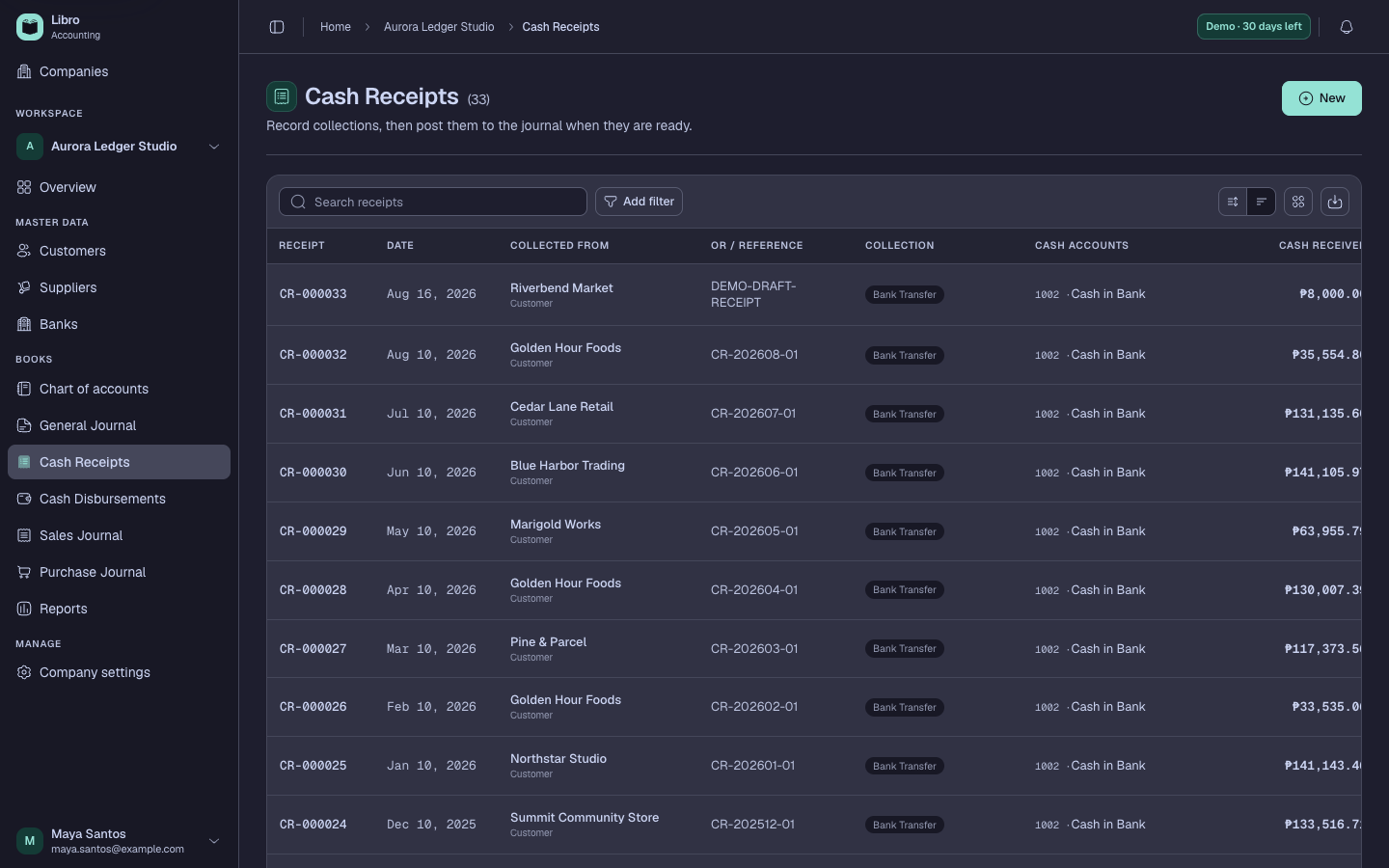
- Select the customer, supplier, member, or other source/payee when applicable.
- Allocate the non-cash side to the correct accounts or open credit items; do not use income or expense for a cash-to-cash transfer.
- Add supported deductions or withholding, choose the correct ATC, and review the gross and net amounts.
- Save as Draft and compare the cash total, allocations, deductions, VAT treatment, and accounting preview with the source.
- Post when the record should affect the cash books and related ledgers, then finalize only after review.
Check your work
The posted amount should appear in the intended cash account, the party ledger when selected, and the cash receipts or disbursements report for the same period.
Common mistakes
- Recording a bank transfer as revenue or expense.
- Applying a receipt or payment to the wrong open invoice.
- Selecting withholding by rate without validating the ATC and source document.