Manage Libro · 6 min
Manage company settings
Keep company identity, accounting rules, signatories, and branding accurate.
Before you start
Open the intended workspace and gather authority for the change. Identity, accounting, signatory, data, and access settings have different effects, so record the reason and effective date for structural changes.
Update the right settings area
- Open Company settings and confirm the company name in the breadcrumb.
- Use General for the trade name, legal name, TIN, address, contact details, and company logo.
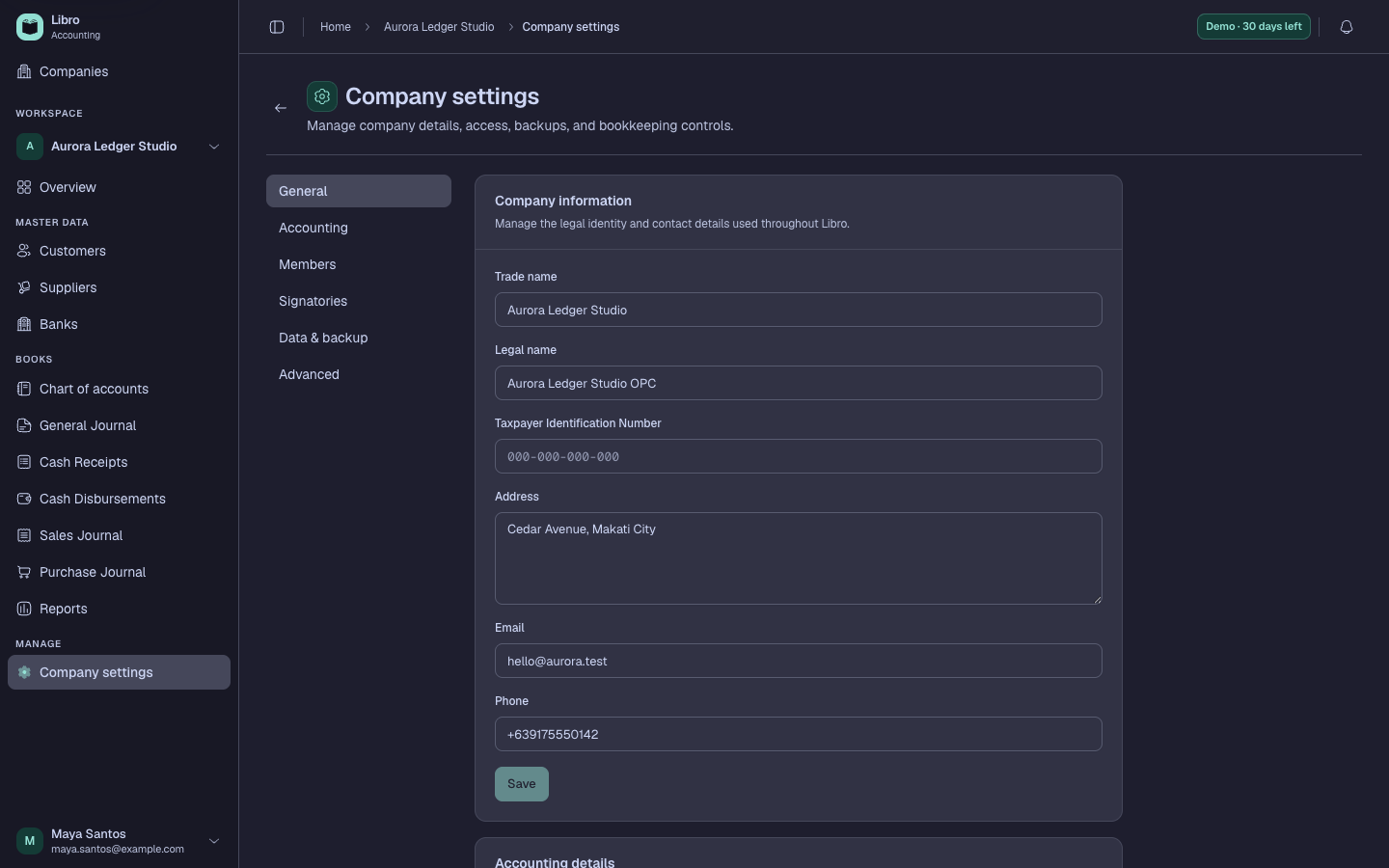
- Use Accounting for fiscal settings, VAT registration history, journal classifications, and default accounts.
- Use Members for collaborator access and roles; use Signatories for names, titles, order, and layouts on formal outputs.
- Use Data & backup for portable company backups and restore controls.
- Use Advanced only for high-impact configuration or deletion actions after reading the consequences.
- Save the change, reopen the page, and generate a representative report or voucher to verify identity, logo, currency, and signatories.
Check your work
The updated value should persist and appear only where expected. A currency change alters display context; it does not convert historical amounts through exchange rates.
Common mistakes
- Editing personal account settings when the change belongs to a company.
- Uploading a logo without checking its printed size and contrast.
- Changing fiscal or accounting defaults without documenting an effective date and reviewing reports.