Record business activity · 5 min
Read ledgers and record history
Trace a balance from a person or account back to its source and changes.
Before you start
Identify the report total, account, customer, supplier, or member balance that needs explanation. Note the company, period, reference, and amount before opening the ledger.
Trace a balance to its source
- Open a General Ledger account from Chart of accounts, or open the relevant customer ledger, supplier ledger, or member ledger.
- Set the date range that matches the report or reconciliation you are investigating.
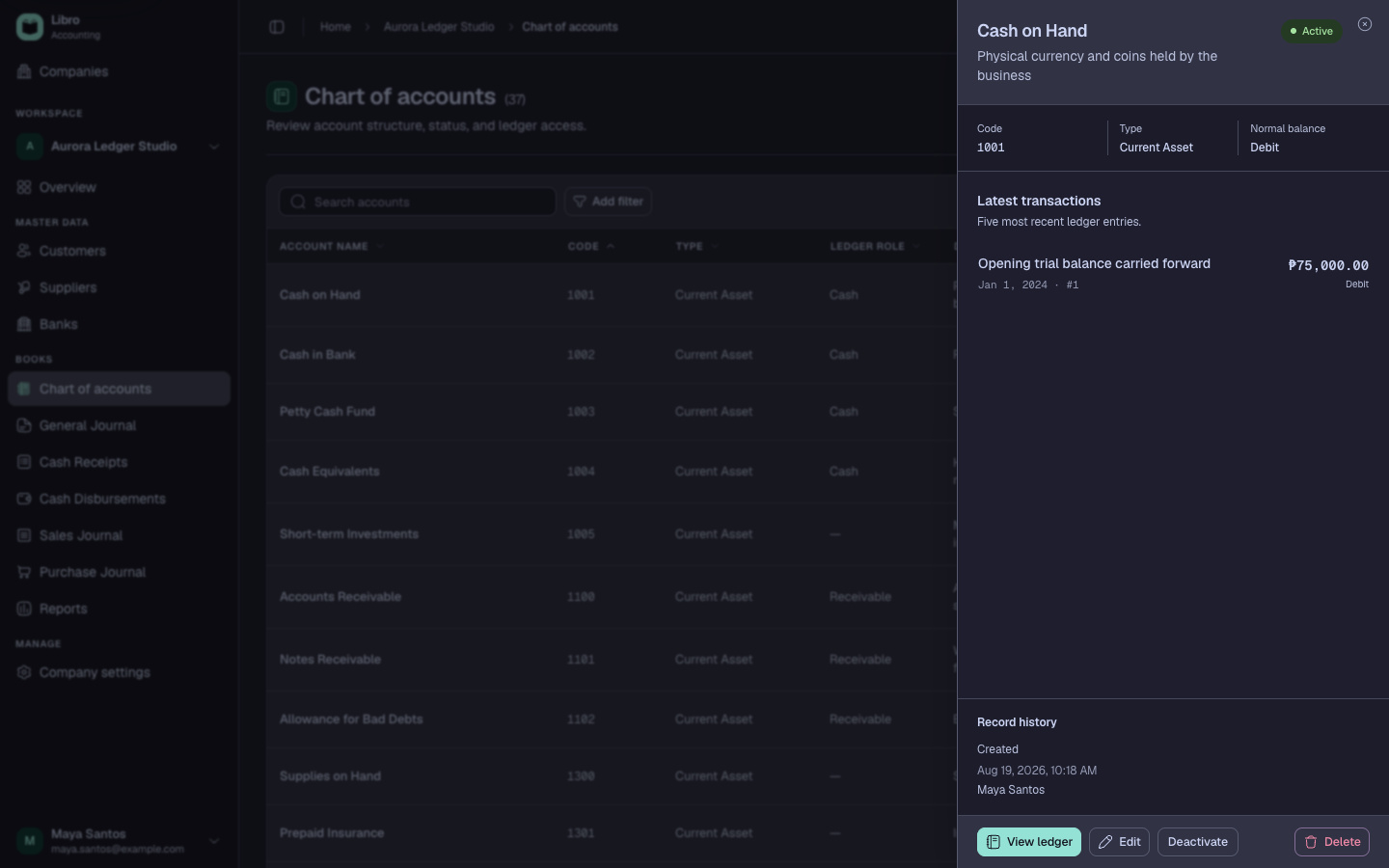
- Locate the amount by date, journal, reference, party, or description and check the running balance before and after it.
- Open the source record from the ledger line and review its allocations, status, and accounting preview.
- Open Record history to see creation, edits, posting, finalization, cancellation, and the responsible user.
- Compare the source record with its supporting document and the original report total.
- If correction is required, use the appropriate status action or correcting entry and repeat the trace.
Check your work
You should be able to explain the report total as a sequence of source records. The ending ledger balance should match the same company, date, and status scope in the report.
Common mistakes
- Comparing a ledger period with a report using a different cutoff.
- Treating the displayed balance as separately editable.
- Changing several entries until the total agrees without identifying the original cause.