Start with Libro · 6 min
Set up a company
Create a workspace with the identity and accounting choices that fit the business.
Before you start
Have the registered name, trade name, TIN, business address, legal structure, business type, VAT status, bookkeeping method, fiscal year end, and reporting currency ready. Confirm these choices with the owner or accountant because several determine the permanent account structure.
Complete the company wizard
- From Companies, choose Create company. Use Create demo company only for fictional sample records.
- Under Identity, enter the trade name, legal name, TIN, address, email, and phone exactly as they should appear on formal outputs.
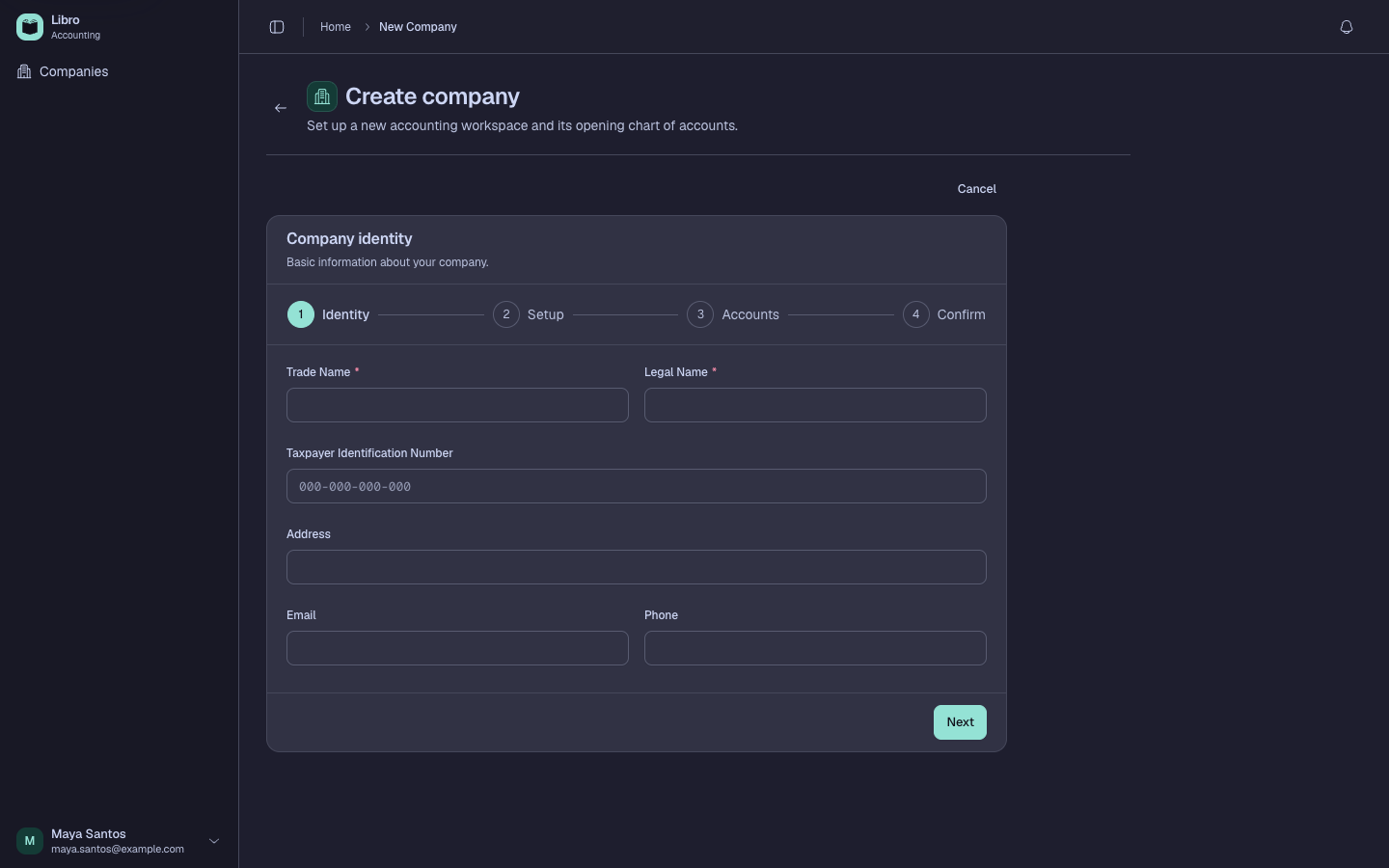
- Under Setup, choose the legal structure: sole proprietorship, partnership, stock corporation, association, or cooperative.
- Select every applicable business type—service, merchandising, or manufacturing—then choose single- or double-entry bookkeeping.
- Select VAT-registered or Non-VAT, the fiscal year end, PHP or another reporting currency, and the deferral method for double-entry books.
- Under Accounts, review the required and optional groups. Libro previews the exact accounts generated by the choices above.
- Under Confirm, compare the summary with the source records, then choose Confirm & Create.
Check your work
The new workspace should open on Overview. Open Chart of accounts and confirm the expected cash, receivable, payable, tax, revenue, expense, and entity-specific equity or fund accounts exist.
Common mistakes
- Choosing a currency as if Libro performs live exchange-rate conversion; it controls reporting context only.
- Selecting non-VAT because a transaction has no VAT. Company tax registration and transaction tax treatment are different decisions.
- Skipping applicable business types or account groups, then improvising control accounts later.
Continue with Configure the books and Configure VAT and withholding.