Start with Libro · 4 min
Navigate your workspace
Find daily tasks in the sidebar and read the Overview dashboard with confidence.
Before you start
Open a company and note its name in the workspace switcher. The sidebar, Overview, records, journals, reports, and Company settings always belong to that active company.
Find work and read the dashboard
- Use Companies to return to the directory, or use the workspace switcher to move directly to another company.
- Open Overview and confirm the company name in the sidebar and breadcrumb.
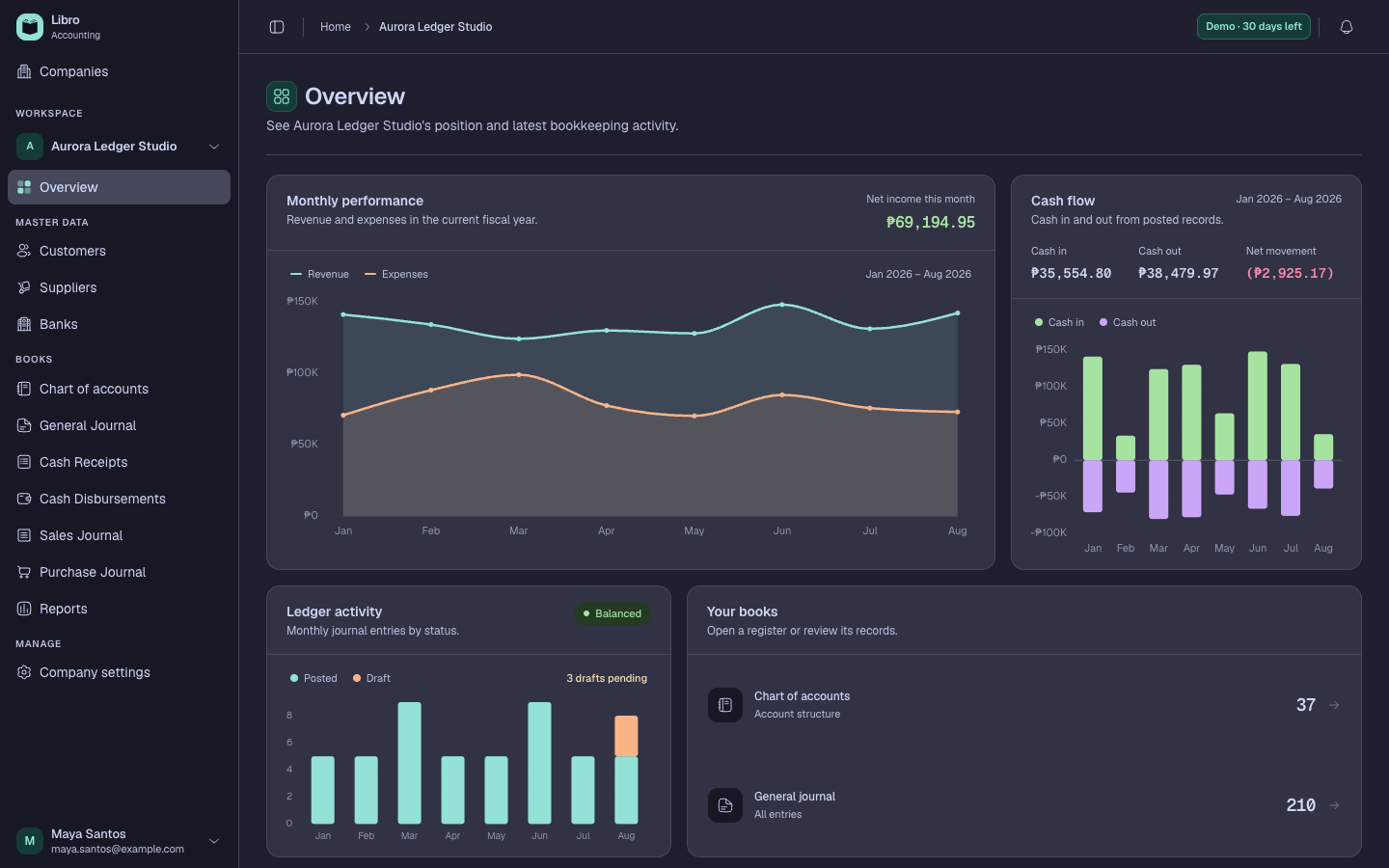
- Use Master data for Banks, Customers, Suppliers, and Members when the entity supports member records.
- Use Books for the Chart of accounts, General Journal, Cash Receipts, Cash Disbursements, Sales Journal, Purchase Journal, and Reports.
- Read the Overview analytics—Monthly performance, Cash flow, Ledger activity, and Your books—as orientation to the current records.
- Use Recent activity to open the newest entries and check their accounting date, reference, description, and status.
- Open Company settings for workspace configuration. Use the account menu for personal security, billing, notifications, appearance, and connected apps.
Check your work
Open one recent entry and return to Overview. The breadcrumb and sidebar should still show the intended company, and the record status should agree with the activity list.
Common mistakes
- Treating dashboard charts as formal reports without matching the period and status rules.
- Confusing the accounting date with the time a record was created.
- Changing personal settings when the intended control lives under Company settings, or vice versa.